Introduction
Customer expectations have changed significantly in the digital business environment. People want quick responses, personalised communication, convenient purchasing experiences and reliable customer support. Businesses that take too long to respond to enquiries or fail to follow up with potential customers risk losing valuable opportunities to competitors.
WhatsApp has become an important communication channel for businesses looking to connect with customers directly. From answering product enquiries and sharing promotional offers to sending order updates and managing customer support, it provides a convenient way to maintain ongoing customer relationships.
However, managing hundreds or thousands of customer conversations manually can become difficult as a business grows. Delayed replies, missed enquiries, inconsistent follow-ups and repetitive communication can affect both customer satisfaction and sales performance.
This is where WhatsApp marketing automation becomes valuable.
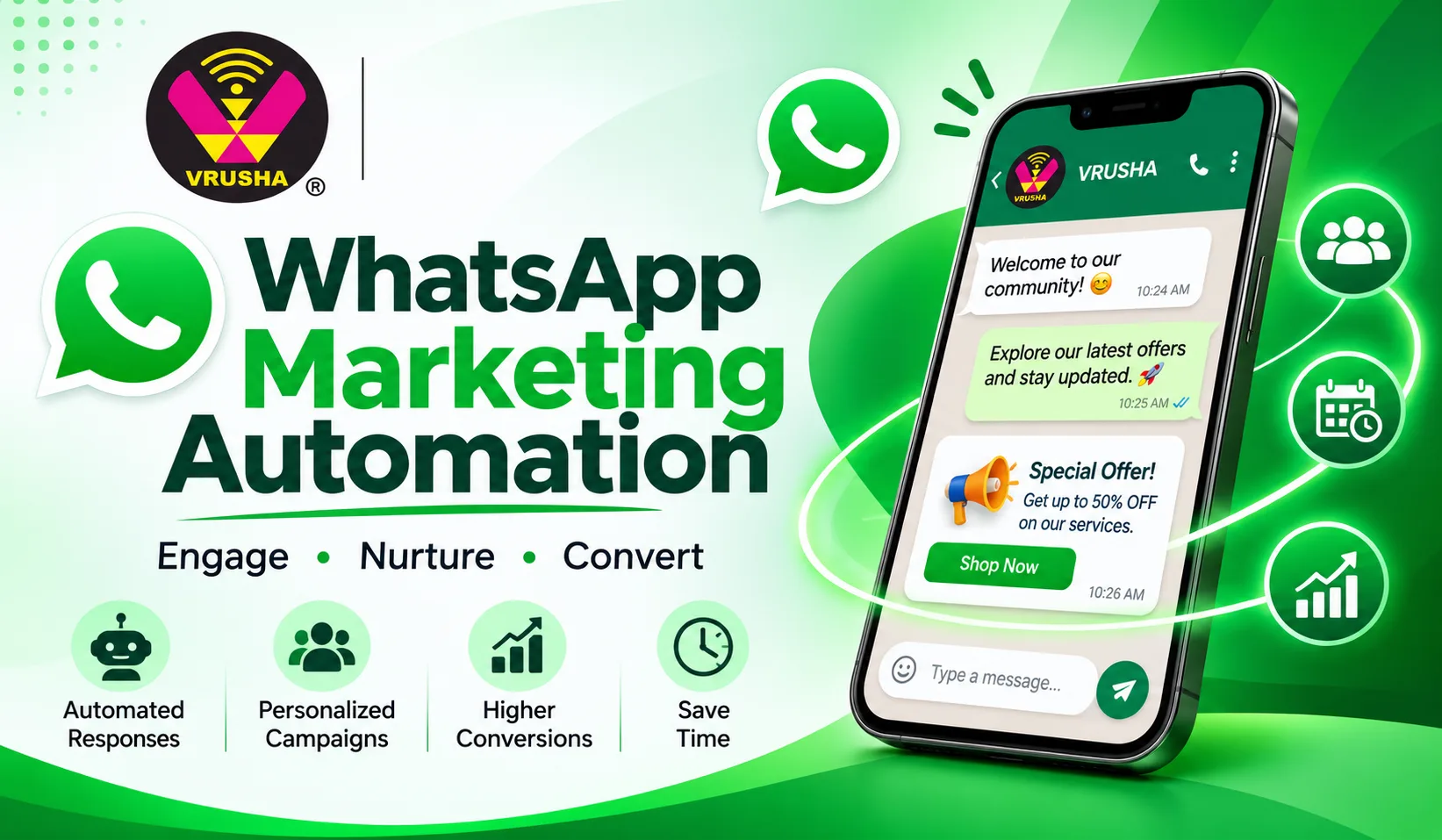
WhatsApp marketing automation allows businesses to automate customer communication, schedule approved marketing campaigns, respond to common questions, qualify leads and manage follow-ups through structured workflows. Instead of depending entirely on manual communication, businesses can use automation to deliver timely and relevant messages throughout the customer journey.
For growing businesses, automation is not simply about sending more messages. It is about creating better customer experiences, reducing repetitive work and improving the efficiency of marketing and sales operations.
In this comprehensive guide, we explain how WhatsApp marketing automation works, its major benefits, essential features, practical applications, implementation strategies, common mistakes and actionable methods businesses can use to improve customer engagement and conversions.
What Is WhatsApp Marketing Automation?
WhatsApp marketing automation is the process of using software, business messaging platforms, chatbots and integrated workflows to manage customer communication automatically through WhatsApp.
It allows businesses to send relevant messages, respond to enquiries, share information, manage customer interactions and trigger follow-ups based on predefined conditions or customer actions.
For example, when someone enquires about a service through a website, an automated workflow can send an acknowledgement, collect basic information, share relevant service details and notify the sales team that a new lead is available.
Similarly, an ecommerce business can use WhatsApp automation to send order confirmations, delivery updates and customer support messages.
The objective is to make communication faster, more organised and more consistent without removing the human element from customer interactions.
How Does WhatsApp Marketing Automation Work?
WhatsApp automation generally works through the WhatsApp Business Platform, an approved technology provider or an integrated messaging solution.
A typical automation process includes the following steps:
A customer contacts the business through WhatsApp, a website, a click-to-WhatsApp advertisement or another approved entry point.
The automation platform receives the customer's message or event.
A predefined workflow identifies the enquiry type or customer requirement.
An automated response, chatbot or approved message template is triggered.
The customer receives relevant information or is guided through the next step.
The interaction can be recorded in a CRM or customer management system.
If human assistance is required, the conversation is transferred to the appropriate team.
Campaign and conversation performance is monitored for further improvement.
Businesses can customise these workflows according to their industry, products, services and customer expectations.
WhatsApp Business App vs WhatsApp Business Platform
Businesses should understand the difference between the WhatsApp Business App and the WhatsApp Business Platform before investing in automation.
WhatsApp Business App
The WhatsApp Business App is suitable for small businesses that manage a relatively limited number of customer conversations. It offers business profiles, product catalogues, greeting messages, away messages and quick replies.
These features help businesses organise basic communication. However, businesses with advanced automation, integration and multi-agent requirements may need a more scalable solution.
WhatsApp Business Platform
The WhatsApp Business Platform is designed for businesses that require more advanced messaging capabilities. It supports API-based integrations, automated workflows, approved message templates, chatbot experiences and connections with external business systems.
It is useful for organisations managing larger customer databases, multiple departments, lead generation campaigns and automated customer journeys.
The right option depends on business size, messaging volume, technical requirements and long-term growth objectives.
Why Businesses Need WhatsApp Marketing Automation
Traditional customer communication often depends on employees manually responding to every enquiry. Although this approach may work for a small customer base, it becomes increasingly difficult as the number of enquiries grows.
Businesses may receive messages outside working hours, experience sudden increases in enquiries during promotional campaigns or struggle to maintain consistent follow-ups.
WhatsApp marketing automation addresses these operational challenges.
1. Faster Customer Responses
Customers often contact multiple businesses before making a purchase decision. A delayed response can reduce the likelihood of converting an enquiry into a sale.
Automated acknowledgement messages help businesses respond immediately when customers initiate conversations.
For example, a customer enquiring about digital marketing services can receive an instant message confirming that the enquiry has been received, along with basic service information.
This creates a better first impression while giving the sales team time to prepare a personalised response.
2. Better Lead Management
Businesses frequently generate leads through websites, advertisements, social media and referral campaigns.
Without a structured follow-up process, some enquiries may remain unanswered or get lost between departments.
WhatsApp automation can collect customer details, identify enquiry categories, assign leads and trigger relevant follow-ups.
When integrated with a CRM, businesses can maintain organised records of customer interactions and improve lead management.
3. Improved Customer Engagement
Customers are more likely to engage with businesses when communication is useful and relevant.
Automated WhatsApp messages can deliver product information, service updates, appointment reminders, educational content and promotional announcements.
Businesses can create communication journeys based on customer interests instead of sending identical messages to everyone.
4. Reduced Repetitive Work
Sales and support teams spend considerable time answering recurring questions about pricing, availability, delivery, appointments and service details.
Chatbots and automated responses can handle suitable routine enquiries.
This allows employees to focus on complex conversations, relationship building and sales opportunities that require human attention.
5. Consistent Follow-Ups
Following up with potential customers is an important part of the sales process.
However, manual follow-ups can become inconsistent when employees manage multiple enquiries simultaneously.
Automation helps businesses establish structured follow-up workflows based on customer actions, enquiry status and communication permissions.
6. Better Customer Experience
Customers appreciate convenient communication and clear information.
Automated order notifications, appointment confirmations, enquiry acknowledgements and support routing reduce uncertainty during the customer journey.
When automation is implemented thoughtfully, it makes communication more convenient without making customers feel that they are interacting with an unresponsive system.
Key Features of WhatsApp Marketing Automation
An effective WhatsApp automation system should include features that support customer communication, marketing operations, sales management and performance measurement.
1. Automated Welcome Messages
Welcome messages introduce customers to a business when they initiate a conversation.
They can include a short greeting, business introduction and available options.
For example:
"Welcome to Vrusha Online! Thank you for contacting us. How can we help you today? You can enquire about digital marketing, website development, SEO or AI automation services."
A useful welcome message should be simple, professional and easy to understand.
2. Automated Replies and Quick Responses
Automated replies can answer frequently asked questions without requiring an employee to type the same response repeatedly.
Businesses can create responses for:
Business working hours.
Product and service information.
Pricing enquiry procedures.
Appointment availability.
Delivery and order information.
Contact details.
Customer support instructions.
Responses should provide useful information rather than simply directing every customer to another channel.
3. WhatsApp Chatbots
A WhatsApp chatbot is an automated conversational system that interacts with customers based on predefined questions, rules or AI-supported capabilities.
A chatbot can help customers navigate services, identify their requirements, collect enquiry details and direct conversations to the appropriate department.
For example, an educational institution can use a chatbot to help prospective students explore courses, eligibility requirements, admission procedures and enquiry options.
A well-designed chatbot should also provide a clear way to contact a human representative.
4. Automated Lead Qualification
Not every enquiry represents the same level of buying interest.
Lead qualification helps businesses understand whether a potential customer is actively looking for a product or service.
An automated workflow can ask relevant questions about:
The product or service required.
Budget expectations.
Location or service area.
Preferred timeline.
Business requirements.
Contact preferences.
The collected information can help the sales team prioritise enquiries and provide more relevant assistance.
5. Approved Message Templates
WhatsApp Business Platform uses approved message templates for initiating conversations outside the applicable customer service window.
Templates may support marketing, utility and authentication purposes, subject to Meta's classification and policies.
Examples include promotional announcements, order updates, appointment reminders and verification messages.
Businesses should ensure that each template matches its intended purpose and follows the applicable approval requirements.
6. CRM Integration
Customer Relationship Management integration connects WhatsApp interactions with a central customer database.
It helps businesses organise customer information, track enquiry history, assign leads and monitor sales activities.
A connected CRM can also support automated lead assignment, follow-up reminders and reporting.
7. Campaign Scheduling
Campaign scheduling allows businesses to plan approved messages for suitable dates and times.
Examples include product launches, event announcements, seasonal promotions and customer updates.
Scheduling should be combined with audience segmentation and frequency management to avoid overwhelming customers.
8. Analytics and Reporting
Automation platforms may provide reporting on message delivery, campaign performance, customer responses and workflow outcomes.
Businesses should use these insights to understand whether communication is generating meaningful results.
Important measurements include:
Delivered messages.
Read and response rates, where available.
Customer enquiries.
Qualified leads.
Sales conversions.
Opt-out rates.
Cost per acquired customer.
Revenue attributed to campaigns.
Major Benefits of WhatsApp Marketing Automation
WhatsApp marketing automation can support multiple business functions when it is connected to a clear marketing and customer service strategy.
1. Increased Operational Efficiency
Automation reduces the time employees spend managing repetitive customer communication.
Instead of responding manually to every basic question, teams can use predefined workflows for common requests.
This can improve operational efficiency and allow employees to concentrate on activities that require judgement, expertise and personal interaction.
2. Improved Lead Conversion Opportunities
A potential customer may enquire about a product but postpone making a purchase because they need more information.
Automated communication can provide relevant information, answer basic questions and guide customers towards the next action.
For example, a real estate business can send property details to an interested prospect and offer an opportunity to schedule a site visit.
The sales team can then follow up with prospects who demonstrate genuine interest.
3. Stronger Customer Relationships
Customer relationships develop through useful and consistent interactions.
Businesses can use WhatsApp to provide service updates, answer questions, share educational resources and collect feedback.
Personalised communication makes customers feel understood and helps maintain engagement after an initial purchase.
4. Scalable Customer Communication
A manual communication process becomes difficult to manage when enquiries increase.
Automation provides a structured way to manage routine interactions at higher volumes, subject to platform limits, messaging policies and available infrastructure.
Businesses can expand their workflows as their customer base grows.
5. Better Sales Team Productivity
Sales representatives should spend more time understanding customer requirements and less time performing repetitive administrative tasks.
Automated lead collection, assignment and reminders help teams maintain organised follow-up processes.
The result is a more structured sales operation.
6. Improved Customer Retention
Customer acquisition is only one part of business growth. Retaining existing customers is equally important.
Businesses can use permitted WhatsApp communication for service updates, feedback requests, relevant product information and customer support.
These interactions can strengthen relationships and encourage repeat purchases when they are useful and expected.
7. Better Marketing Measurement
Automation platforms and connected analytics tools can provide information about customer interactions and campaign outcomes.
When businesses connect messaging activity with CRM and website analytics, they can evaluate which campaigns generate meaningful enquiries and conversions.
This supports more informed marketing decisions.
Practical WhatsApp Marketing Automation Strategies for Businesses
Successful WhatsApp automation requires more than creating a chatbot or sending promotional messages.
Businesses should develop workflows that address specific customer needs and business objectives.
1. Create a Structured Welcome Journey
The first interaction establishes the tone of the customer relationship.
A structured welcome journey should introduce the business, explain available support options and make it easy for customers to select what they need.
For example, a digital marketing agency can provide options such as SEO services, social media marketing, website development and marketing automation.
Once the customer selects an option, the workflow can provide relevant information or connect them with a specialist.
2. Automate Enquiry Follow-Ups
Many potential customers require additional information before making a decision.
A follow-up workflow can help businesses maintain communication with prospects who have requested further details.
For example, a customer enquiring about website development may receive an acknowledgement and a relevant project information resource.
Any subsequent follow-up should be based on the customer's permission, applicable WhatsApp messaging rules and the relevant template requirements.
Avoid sending repeated reminders to customers who have not expressed interest.
3. Use Personalized Message Campaigns
Personalization improves message relevance.
Instead of sending identical content to the entire customer database, businesses can organise customers into groups based on their interests, previous purchases, enquiry categories or communication preferences.
For example, an ecommerce company can communicate different product updates to customers interested in different product categories.
Personalization should always be based on information the business is permitted to collect and use.
4. Automate Appointment Reminders
Appointment-based businesses can use WhatsApp automation to confirm bookings and send reminders.
This is useful for:
Salons and wellness businesses.
Educational institutions.
Professional consultants.
Repair and maintenance services.
Event organisers.
General appointment-based services.
Customers can also be provided with suitable instructions for rescheduling or contacting support.
5. Build an Ecommerce Order Communication Workflow
Online stores can use automated communication to keep customers informed about their orders.
A typical workflow may include order confirmation, payment acknowledgement, shipping updates and delivery notifications.
The messaging system should be connected to the ecommerce platform or order management software so that messages are triggered by accurate order events.
6. Use Click-to-WhatsApp Advertising
Click-to-WhatsApp advertisements allow potential customers to start a conversation directly from supported advertising placements.
Businesses can use these campaigns to generate enquiries and connect interested prospects with a sales or support team.
The next step should be a well-designed conversation flow that identifies customer requirements and provides relevant assistance.
7. Connect WhatsApp with Email Marketing
WhatsApp and email serve different communication purposes.
Email is useful for detailed newsletters, documents and long-form information, while WhatsApp can support convenient conversational interactions.
A coordinated strategy can help businesses maintain consistent customer communication across both channels.
Explore Vrusha Online's Email Marketing and Automation Services to understand how email workflows can complement a broader customer engagement strategy.
8. Automate Customer Feedback Collection
Customer feedback helps businesses understand service quality and identify areas for improvement.
After a completed transaction or service interaction, businesses can invite customers to share their experience.
Feedback requests should be short, relevant and sent at an appropriate time.
Businesses should also establish a process for reviewing negative feedback and resolving customer concerns.
Industry-Wise Applications of WhatsApp Marketing Automation
Different industries have different customer journeys. WhatsApp automation should be designed around the communication requirements of each business.
1. Ecommerce Businesses
Ecommerce companies can use WhatsApp automation to support the customer journey from product discovery to post-purchase communication.
Common applications include:
Product enquiry responses.
Order confirmations.
Shipping notifications.
Delivery updates.
Customer support.
Promotional campaigns.
Feedback collection.
For example, a customer who purchases a product online can receive an order confirmation followed by relevant shipping updates.
The business can also provide a direct support option if the customer has a delivery-related question.
2. Educational Institutions
Schools, colleges, universities and training institutes receive enquiries from students and parents throughout the admission cycle.
WhatsApp automation can help institutions organise these enquiries and provide admission-related information.
Common applications include:
Course information.
Admission enquiry acknowledgement.
Eligibility information.
Application guidance.
Counselling appointment reminders.
Event announcements.
Document submission instructions.
An educational institution can create separate enquiry journeys for undergraduate admissions, postgraduate admissions and professional courses.
This makes communication more relevant and easier to manage.
3. Healthcare and Wellness Businesses
Healthcare organisations may use messaging for appropriate administrative communication, appointment coordination and general service information, subject to applicable privacy, healthcare and WhatsApp policies.
Potential applications include appointment confirmations, scheduling instructions and general clinic information.
Healthcare businesses must take particular care with sensitive personal information. They should not assume that ordinary WhatsApp messaging is appropriate for transmitting medical records, diagnoses or confidential patient details.
4. Real Estate Businesses
Real estate companies often receive enquiries about properties, locations, pricing and site visits.
WhatsApp automation can help organise these enquiries and provide initial information.
Possible workflows include:
Property enquiry acknowledgement.
Project information sharing.
Location details.
Site visit scheduling.
Lead qualification.
Sales representative assignment.
A qualified lead can be transferred to a property consultant for a personalised discussion.
5. Travel and Hospitality Businesses
Hotels, travel agencies and hospitality providers can use WhatsApp automation to answer common questions and support booking-related communication.
Applications include booking enquiries, reservation confirmations, itinerary information, travel updates and customer support.
A well-designed workflow helps customers obtain essential information without waiting for a manual response to every basic enquiry.
6. Professional Service Businesses
Consultants, agencies and service providers can use WhatsApp automation to organise enquiries, collect project requirements and schedule consultations.
For example, a digital marketing agency can ask prospective clients about their industry, website, marketing requirements and business objectives before assigning the enquiry to a strategist.
This improves the quality of the initial sales conversation.
WhatsApp Marketing Automation and Lead Generation
Lead generation is one of the most valuable applications of WhatsApp marketing automation.
Businesses invest in SEO, Google Ads, social media campaigns and website development to attract potential customers. However, generating traffic does not automatically produce sales.
The process of converting website visitors into enquiries requires a convenient communication experience.
WhatsApp can support this process by providing a direct communication option.
How WhatsApp Automation Supports Lead Generation
A practical lead generation workflow may include the following stages:
Stage 1: Attract potential customers
Use SEO, paid advertising, social media campaigns and relevant website content to reach your target audience.
Stage 2: Encourage conversations
Provide a suitable WhatsApp contact option on relevant website pages and advertising campaigns.
Stage 3: Collect enquiry details
Ask customers about their requirements through a simple and relevant conversation flow.
Stage 4: Qualify potential leads
Identify the service required, expected timeline and other relevant information.
Stage 5: Assign enquiries
Connect qualified leads with the appropriate sales representative.
Stage 6: Follow up appropriately
Use permitted communication workflows to maintain contact with prospects who have requested further information.
Stage 7: Measure conversions
Track which campaigns generate qualified enquiries and paying customers.
Businesses can strengthen this process by combining messaging workflows with Lead Generation and Lead Nurturing Services.
WhatsApp Chatbots and AI-Powered Automation
Traditional automation generally follows predefined rules. AI-powered automation can provide additional capabilities by interpreting customer questions and helping generate more flexible responses.
However, AI should not be treated as a replacement for proper workflow design.
Rule-Based Chatbots
Rule-based chatbots follow predefined options and decision paths.
For example:
Select 1 for product information.
Select 2 for pricing enquiries.
Select 3 for customer support.
Select 4 to speak with a representative.
These chatbots are useful when customer enquiries follow predictable patterns.
AI-Powered WhatsApp Chatbots
AI-supported chatbots can interpret natural-language questions and identify customer intent.
For example, instead of selecting a menu option, a customer may type, "I want to know the price of your SEO services."
An AI-enabled workflow can recognise the enquiry category and provide an appropriate response using approved business information.
Combining AI with Human Support
The most effective automation strategies combine technology with human assistance.
Automation can handle routine questions, collect initial information and direct customers to the appropriate team.
Human representatives should manage complex requirements, complaints, negotiations and conversations that require professional judgement.
Businesses should also test AI responses, restrict access to sensitive information and provide clear escalation options.
WhatsApp Marketing Automation Tools and Integrations
Choosing the right technology is important for building a reliable automation system.
Businesses should evaluate platforms based on their requirements rather than selecting a tool simply because it offers many features.
1. WhatsApp Business Platform
The official WhatsApp Business Platform provides the foundation for advanced business messaging and API-based automation.
It supports approved message templates, integrations and structured customer communication.
Businesses should review the official WhatsApp Business Platform documentation before selecting an implementation approach.
2. CRM Software
CRM platforms help businesses organise customer details, enquiry history, lead status and sales activities.
Connecting WhatsApp with a CRM can reduce manual data entry and improve coordination between marketing and sales teams.
3. Chatbot Platforms
Chatbot platforms help businesses design conversation flows, collect customer information and automate common enquiries.
When selecting a chatbot provider, evaluate its integration capabilities, reporting, data protection, human handover and support options.
4. Marketing Automation Platforms
Marketing automation tools help businesses connect messaging workflows with lead management, email campaigns and other marketing activities.
This makes it easier to create coordinated customer journeys across multiple communication channels.
5. Analytics and Tracking Tools
Analytics tools help businesses measure website traffic, campaign performance and lead conversions.
Connecting campaign sources with CRM records helps identify which marketing activities contribute to actual business outcomes.
WhatsApp Marketing Automation: Cost and Pricing Considerations
The cost of implementing WhatsApp marketing automation depends on the technology, messaging volume, integration requirements and complexity of the workflows.
Businesses should consider several cost components before selecting a platform.
1. WhatsApp Message Charges
WhatsApp Business Platform pricing depends on applicable message categories, recipient markets and Meta's current pricing policy.
Marketing, utility and authentication messages are classified according to their intended purpose and applicable rules.
Businesses should consult the official WhatsApp Business Pricing documentation before preparing a messaging budget.
2. Automation Platform Fees
Some providers charge monthly or annual subscription fees for access to their messaging dashboards, automation features and integrations.
The pricing structure may depend on the number of users, connected channels, automation workflows or other platform features.
3. Chatbot Development Costs
A basic rule-based chatbot generally requires less development than a sophisticated AI-supported customer service system.
Costs can vary depending on conversation complexity, business requirements and integration needs.
4. CRM and Integration Costs
Businesses using CRM software, ecommerce systems or external applications may incur additional integration expenses.
The total implementation cost should include configuration, testing, maintenance and ongoing technical support.
5. Campaign Management Costs
Businesses may also need professional support for campaign planning, message creation, audience segmentation, template preparation and performance optimisation.
The best approach is to evaluate the total cost against measurable business objectives rather than focusing only on the monthly platform subscription.
WhatsApp Marketing Automation Best Practices
A successful automation strategy must balance efficiency with customer experience.
The following best practices can help businesses create reliable and effective communication workflows.
1. Obtain Appropriate Customer Permission
Permission is essential before initiating business communication through WhatsApp.
Businesses should explain what customers are agreeing to receive, identify the business clearly and provide an appropriate method to stop future communications.
Consent records should be maintained and opt-out requests should be respected.
2. Send Relevant Messages
Customers should receive messages that relate to their interests, enquiries or transactions.
Avoid sending unrelated promotional content simply because a phone number is available in a database.
Relevance helps maintain trust and reduces negative customer feedback.
3. Maintain Reasonable Messaging Frequency
Sending too many messages can frustrate customers.
Develop a communication schedule that considers customer expectations, campaign objectives and previous interactions.
4. Use Clear and Professional Language
Automated messages should sound natural, helpful and easy to understand.
Avoid lengthy introductions, confusing instructions and unnecessary promotional language.
5. Provide Human Support
Automation should make customer communication easier, not create barriers.
Customers should have a clear way to reach a human representative when their requirements cannot be addressed through automated responses.
6. Test Workflows Before Launch
Check message templates, links, chatbot responses, CRM connections and workflow triggers before making an automation system available to customers.
Testing helps identify errors that could otherwise affect the customer experience.
7. Monitor Campaign Performance
Track meaningful business outcomes rather than measuring success only through the number of messages sent.
Review lead quality, conversion rates, response patterns and opt-out activity.
8. Protect Customer Information
Collect only the information necessary for the intended purpose.
Use appropriate security controls, restrict access to customer records and follow applicable data protection requirements.
Common WhatsApp Marketing Automation Mistakes and Their Solutions
Even a well-equipped automation platform can produce poor results when the underlying strategy is weak.
Mistake 1: Sending Messages Without Permission
Using purchased contact lists or messaging people without appropriate permission can create customer complaints and policy violations.
Solution: Build an audience through transparent opt-in methods and maintain records of communication preferences.
Mistake 2: Overusing Promotional Messages
Customers may block or report businesses that send frequent, irrelevant promotions.
Solution: Prioritise useful communication, segment audiences and establish sensible campaign frequency limits.
Mistake 3: Creating Complicated Chatbots
Long menus and unnecessary questions make it difficult for customers to complete simple tasks.
Solution: Keep chatbot journeys short, use clear options and allow customers to request human assistance.
Mistake 4: Ignoring Human Handover
Some enquiries require explanation, judgement or negotiation.
Solution: Define clear escalation rules and make human support accessible during the customer journey.
Mistake 5: Failing to Integrate Customer Data
Disconnected messaging and CRM systems can create duplicate records and missed follow-ups.
Solution: Connect relevant business applications and establish a consistent process for managing customer information.
Mistake 6: Not Tracking Conversions
A campaign may generate many conversations without producing qualified leads or sales.
Solution: Track the complete journey from campaign source to enquiry, qualification and purchase.
Mistake 7: Using Incorrect Message Templates
Templates may be rejected or incorrectly categorised when their content does not match the intended purpose.
Solution: Review Meta's current template requirements and submit suitable templates for approval before use.
Mistake 8: Ignoring Customer Feedback
Repeated complaints or opt-out requests indicate that communication may not be meeting customer expectations.
Solution: Monitor customer feedback and improve messaging, timing and workflow design.
How to Measure the Success of WhatsApp Marketing Automation
Businesses should establish measurable performance indicators before launching automation campaigns.
This makes it easier to identify improvements and understand whether the investment is producing meaningful results.
Important Performance Metrics
Message delivery rate
Measures the proportion of submitted messages that are successfully delivered.
Read rate
Where available, measures the proportion of delivered messages that customers read.
Response rate
Measures the proportion of recipients who respond to a campaign or message.
Lead conversion rate
Measures how many WhatsApp enquiries become qualified leads or sales opportunities.
Sales conversion rate
Measures how many qualified prospects complete a purchase.
Cost per lead
Calculates the marketing cost associated with generating a qualified lead.
Customer acquisition cost
Measures the total cost of acquiring a new customer through the relevant marketing activity.
Opt-out and block indicators
Help identify whether customers find the communication unwanted or excessive.
Why Business Outcomes Matter More Than Message Volume
Sending thousands of messages does not automatically mean a campaign is successful.
A smaller, well-segmented campaign may generate more qualified enquiries than a large, poorly targeted broadcast.
Businesses should evaluate messaging performance alongside sales results, customer experience and campaign profitability.
For example, an ecommerce company should measure purchases generated by a campaign rather than relying only on message delivery statistics.
How Vrusha Online Can Help with WhatsApp Marketing Automation
Businesses need more than a messaging tool to create a successful automation strategy. They need a structured approach that connects marketing objectives, customer communication, lead management and performance measurement.
Vrusha Online provides digital marketing, technology and AI-enabled growth solutions designed to help businesses improve their online presence and customer acquisition processes.
Our approach focuses on understanding business requirements, developing suitable digital strategies and connecting marketing activities with practical business outcomes.
WhatsApp Marketing Strategy
A structured strategy helps businesses identify their target audience, communication objectives and suitable automation opportunities.
This includes planning customer journeys, identifying enquiry categories and creating relevant communication workflows.
Automated Customer Communication
Businesses can use automation to manage routine enquiries, welcome interactions, appointment-related communication and other suitable customer touchpoints.
Workflows should be developed according to business requirements and applicable WhatsApp policies.
Lead Generation and Nurturing
WhatsApp communication can complement website forms, search campaigns, social media advertising and other lead generation activities.
A coordinated approach helps businesses organise enquiries and improve the consistency of follow-ups.
CRM and Marketing Integration
Connecting messaging workflows with relevant business systems helps maintain organised customer records and improve sales coordination.
Integration requirements depend on the platforms and processes already used by the business.
Performance Monitoring
Regular reporting helps businesses understand customer engagement, lead quality and campaign outcomes.
Insights can then be used to improve message content, workflow structure and campaign targeting.
Businesses looking for an integrated approach can explore Vrusha Online's Digital Marketing Services and Marketing Automation Setup Services.
The objective is to build communication systems that support business growth while maintaining a useful and trustworthy customer experience.
Future of WhatsApp Marketing Automation
Business messaging continues to develop as companies adopt more advanced automation technologies.
AI-powered conversation tools, CRM integration, customer journey automation and improved analytics are creating new opportunities for businesses to manage communication more effectively.
Greater Adoption of AI-Powered Chatbots
AI can help businesses interpret natural-language questions and provide more flexible responses.
Future implementations may combine AI assistance with structured business information, approved workflows and human support.
More Connected Customer Journeys
Businesses increasingly need their websites, advertising campaigns, CRM systems and messaging channels to work together.
Integrated systems can help create a more consistent experience from the first enquiry to the final purchase.
More Personalised Communication
Better customer segmentation and workflow logic can help businesses deliver more relevant communication based on customer interests and permitted data.
Personalisation should remain transparent and respectful of customer preferences.
Stronger Focus on Privacy and Trust
Customers expect businesses to handle their information responsibly.
Companies will need to maintain appropriate permission records, follow platform requirements and apply suitable data protection practices as automation expands.
More Data-Driven Marketing Decisions
Improved reporting can help businesses connect messaging activity with lead quality, sales and customer retention.
This will make it easier to evaluate automation investments and identify opportunities for improvement.
Conclusion
WhatsApp marketing automation has become a valuable part of modern business communication. It helps organisations manage customer enquiries, automate routine interactions, improve lead follow-ups and create more consistent customer experiences.
However, successful automation is not about sending the highest possible number of messages. It is about delivering the right information, to the right customer, at the right stage of the customer journey.
Businesses should begin by identifying their communication challenges, selecting suitable automation technology, developing clear workflows and establishing measurable objectives.
They should also prioritise customer permission, relevant messaging, privacy, human support and continuous optimisation.
When combined with SEO, social media marketing, lead generation, CRM integration and other digital marketing activities, WhatsApp automation can become an important part of a connected customer acquisition and retention strategy.
For businesses looking to improve customer communication and streamline marketing operations, a well-planned WhatsApp marketing automation strategy can create a stronger foundation for sustainable digital growth.
Ready to improve your customer communication? Connect with Vrusha Online to discuss a WhatsApp marketing and automation strategy aligned with your business goals.
Frequently Asked Questions About WhatsApp Marketing Automation
1. What is WhatsApp marketing automation?
WhatsApp marketing automation is the use of messaging software, APIs, chatbots and automated workflows to manage business communication through WhatsApp. It allows businesses to send relevant messages, respond to enquiries, collect customer information and organise follow-ups.
It reduces repetitive manual work and helps businesses maintain consistent communication. Depending on the implementation, automation can support lead generation, customer service, appointment coordination and post-purchase engagement.
2. Is WhatsApp marketing automation suitable for small businesses?
Yes. Small businesses can use WhatsApp automation to manage customer enquiries, send welcome messages, answer frequently asked questions and organise basic follow-ups. It is particularly useful for businesses that receive regular customer messages but have limited staff available to manage them.
Small businesses should begin with simple workflows and expand as their requirements grow. Choosing a solution that matches the actual messaging volume and budget helps avoid unnecessary technology expenses.
3. What is the difference between WhatsApp Business and WhatsApp Business API?
The WhatsApp Business App is intended for businesses that manage customer conversations through a mobile or desktop application. It offers features such as business profiles, catalogues, greeting messages, away messages and quick replies.
The WhatsApp Business Platform provides more advanced capabilities through API-based integrations. It is suitable for businesses that need automated workflows, chatbots, CRM connections, approved templates and more structured messaging operations.
4. Can WhatsApp messages be sent automatically?
Yes. Businesses can automate suitable WhatsApp messages through supported business messaging solutions. Examples include welcome responses, order updates, appointment notifications and customer support workflows.
However, automated messaging must follow WhatsApp's applicable policies. Businesses need appropriate customer permission, and messages initiated outside the customer service window must use approved templates where required.
5. How does WhatsApp automation help generate leads?
WhatsApp automation can capture enquiries, ask relevant qualifying questions and direct potential customers to the appropriate sales representative. Businesses can connect WhatsApp with website forms, advertising campaigns and CRM platforms to organise incoming leads.
For example, a digital marketing agency can ask a prospect about the services required, website address and business objectives. The sales team can then use this information to prepare a more relevant consultation.
6. Can WhatsApp automation be integrated with CRM software?
Yes. WhatsApp Business Platform integrations can connect customer conversations with compatible CRM systems. Depending on the integration, businesses can store enquiry details, maintain communication records, assign leads and trigger follow-up tasks.
Before implementing CRM integration, businesses should identify which information needs to be synchronised and how it will be used. Access controls, data accuracy and customer privacy should be included in the integration plan.
7. Is WhatsApp chatbot automation useful for customer support?
Yes. Chatbots can handle common questions, provide business information and guide customers through predefined support options. This helps reduce repetitive enquiries and makes basic information available without waiting for a human representative.
However, chatbots should not attempt to handle every situation. Businesses should provide a clear human escalation option for complaints, complex requirements and conversations that need individual attention.
8. How much does WhatsApp marketing automation cost?
The cost depends on the automation platform, message category, recipient country, messaging volume, chatbot complexity and integration requirements. Some providers charge subscription fees, while additional development and maintenance expenses may apply.
Businesses should also review Meta's current messaging charges and the service fees charged by their chosen provider. A proper cost estimate should include implementation, messaging, platform access, integrations and campaign management.
9. Is WhatsApp marketing automation safe for business communication?
WhatsApp automation can support business communication when implemented using suitable platforms, security measures and approved messaging practices. Businesses should protect customer information, restrict access to business accounts and follow relevant privacy requirements.
They should also avoid collecting unnecessary sensitive information and ensure that automated workflows do not expose private customer conversations. Security and privacy should be considered during the planning stage rather than after deployment.
10. How can businesses measure WhatsApp marketing automation performance?
Businesses can measure performance using message delivery, response rate, lead generation, qualified enquiries, sales conversions and customer retention metrics. Opt-out activity and customer feedback should also be monitored to identify communication problems.
The most useful reporting connects WhatsApp interactions with actual business results. Instead of evaluating a campaign only by the number of messages sent, businesses should understand how many enquiries, sales opportunities and customers it generates.
Practical How-To Guide: WhatsApp Marketing Automation
1. How to Set Up WhatsApp Marketing Automation for a Business?
Start by identifying the communication tasks that take the most time in your business. These may include welcome messages, customer enquiries, appointment confirmations, lead collection or order updates. Decide which activities can be automated and which require human attention.
Next, select an appropriate WhatsApp solution, configure the business account, prepare the necessary message templates and create the required workflows. Test the complete customer journey before launching it publicly, including message delivery, response handling and human escalation.
2. How to Create an Automated WhatsApp Welcome Message?
First, define what customers should learn when they contact your business. Include a friendly greeting, your business name and a short explanation of the support options available. Keep the message concise and avoid adding unnecessary promotional information.
For example, a business could welcome customers and provide options for product enquiries, service information and customer support. Use simple language and make sure each option leads to a useful response. Review the welcome message regularly to ensure that the information remains accurate.
3. How to Create a WhatsApp Chatbot for Customer Enquiries?
Begin by listing the questions customers ask most frequently. Group them into categories such as pricing, services, availability, bookings and support. These categories can form the foundation of your chatbot conversation flow.
Use a compatible chatbot platform or a custom WhatsApp Business Platform integration to configure the responses. Add clear navigation options and test different customer inputs. Include a human handover option so customers can speak with a representative when the chatbot cannot resolve their requirements.
4. How to Automate WhatsApp Lead Generation?
Start by identifying where your potential customers currently discover your business. Website pages, social media campaigns, search advertisements and click-to-WhatsApp advertisements can provide suitable entry points for customer conversations.
Create a simple workflow that acknowledges the enquiry and asks a small number of relevant qualifying questions. Collect only information that is necessary and permitted. Connect the workflow to a CRM or lead management system so that qualified enquiries can be assigned to the appropriate sales representative.
5. How to Integrate WhatsApp with a CRM System?
Identify the CRM platform your business currently uses and check whether it supports an official WhatsApp integration or a compatible business messaging provider. Define which customer details, conversation records and lead activities need to be synchronised.
Configure the integration according to your sales process. For example, a new WhatsApp enquiry may create a CRM lead, while a customer response may update the enquiry status. Test duplicate handling, access permissions, data accuracy and workflow triggers before using the integration with actual customers.
6. How to Automate WhatsApp Appointment Reminders?
First, connect the messaging workflow with your appointment or booking system. Identify the events that should trigger a notification, such as a confirmed booking, an approaching appointment or a rescheduling request.
Prepare suitable utility message templates and submit them for approval where required. Include essential information such as the appointment date, time and appropriate contact instructions. Test the workflow using sample bookings and make sure that changes or cancellations are reflected accurately.
7. How to Run a WhatsApp Marketing Campaign?
Begin by defining the purpose of the campaign. Decide whether you want to announce a product, share a relevant offer, promote an event or reconnect with an eligible customer segment. A clear objective helps determine the message, audience and success metrics.
Next, segment your opted-in audience and prepare an appropriate approved marketing template. Review the content, links, timing and campaign budget before launch. After delivery, evaluate responses, enquiries, conversions and opt-out activity to identify what should be improved in the next campaign.
8. How to Automate Customer Follow-Ups on WhatsApp?
Create a follow-up process based on customer actions rather than sending the same reminder to everyone. For example, customers who have requested a quotation may require a different communication journey from customers who have completed a purchase.
Define the conditions that trigger each follow-up, the permitted timing and the appropriate message template. Make sure that the customer has given the necessary permission and that all messaging complies with platform requirements. Stop further communication when a customer opts out or indicates that they no longer need assistance.
9. How to Measure WhatsApp Automation Results?
Before launching a campaign, decide which business outcomes you want to measure. For a lead generation campaign, important indicators may include qualified enquiries, cost per lead and sales conversions. For customer support, response time, resolution outcomes and customer feedback may be more useful.
Use the reporting available through your messaging platform and connect it with CRM and website analytics where possible. Review results regularly and compare them against the original objectives. Use the findings to improve audience segmentation, message content, chatbot journeys and campaign timing.
10. How to Improve an Existing WhatsApp Automation Workflow?
Start by reviewing the customer journey and identifying where users stop responding, repeat questions or request human assistance. These patterns may indicate that the chatbot is confusing, the message is unclear or the workflow is asking for unnecessary information.
Make improvements one step at a time. Simplify menus, update outdated responses, correct integration issues and strengthen human handover options. Test the revised workflow and monitor customer feedback and business results to confirm whether the changes have improved the experience.